Your clients, your relationships, remembered
Your own CRM. No subscription. No data lock-in. Real relationships, tracked the way you actually think about people.
After this module: A relationship system that tracks every touchpoint across email, LinkedIn, calls, and meetings on one timeline. A morning briefing that names the one conversation to have today. A nightly freshness scan that flags stale cards. All yours, all running.
This module's pack
Module 7 pack: your CRM and bookings
CRM skills, guides, migrations and functions, including Cal.com bookings.
See what's inside (43 files)
Skills (9)
/booking-system · /crm-aware · /crm-refresh · /email-send · /email-sequence · /email-triage · /linkedin-sweep · /transcript · /transcript-to-sales-pitch
Database migrations (20)
Apply these to set up your back end tables and jobs.
Edge functions (8)
Server-side functions you deploy to your own back end.
Build guides (4)
Step-by-step, one per piece: Crm setup · Email sequences · Crm integrations · Calcom booking system
Unzipped it and something looks missing?
Your skills install into a folder named .claude. It starts with a dot, so your Mac or PC hides it by default. Nothing is missing. To show hidden files on Mac, press Command + Shift + . (period) in Finder. On Windows, open View → Show → Hidden items in File Explorer.
👇 After this module
Your clients are remembered. Contacts, pipeline, conversations, sequences, follow-ups. Your business runs from your root system.
What you'll do in this module
- Why build your own CRM, why HubSpot and Dubsado will not understand you
- Setting up your client database, contacts, scoring, JSONB context, time decay
- Managing contacts, leads, pipeline, statuses, promises, the relationships you actually have
- Email sequences in your voice, drip, nurture, onboarding, written like you
- Automating follow-ups, the things you keep meaning to do, done
- Connect your CRM to the places real conversations happen, Interactions timeline, nightly freshness scan, email triage feedback loop
- Your CRM in daily use, the morning briefing, the LinkedIn sweep, cleanup flow, transcripts in context
What you'll leave with
- A CRM that fits the way you actually work
- Contacts auto-promoted by score and engagement
- Pipeline statuses that match your sales reality
- Email sequences sending in your voice, not Mailchimp's
- Follow-ups happening without you remembering
- The relationships you have, organized and visible
Why this matters
CRMs are built for sales teams. You are not a sales team. Your CRM should hold the conversations you actually have, the promises you actually make, the people you actually serve. In this module you build one that fits you, not one you fit yourself into.
Start here
Lesson 1: Why build your own CRM →
🌱 A CRM is a way to manage relationships
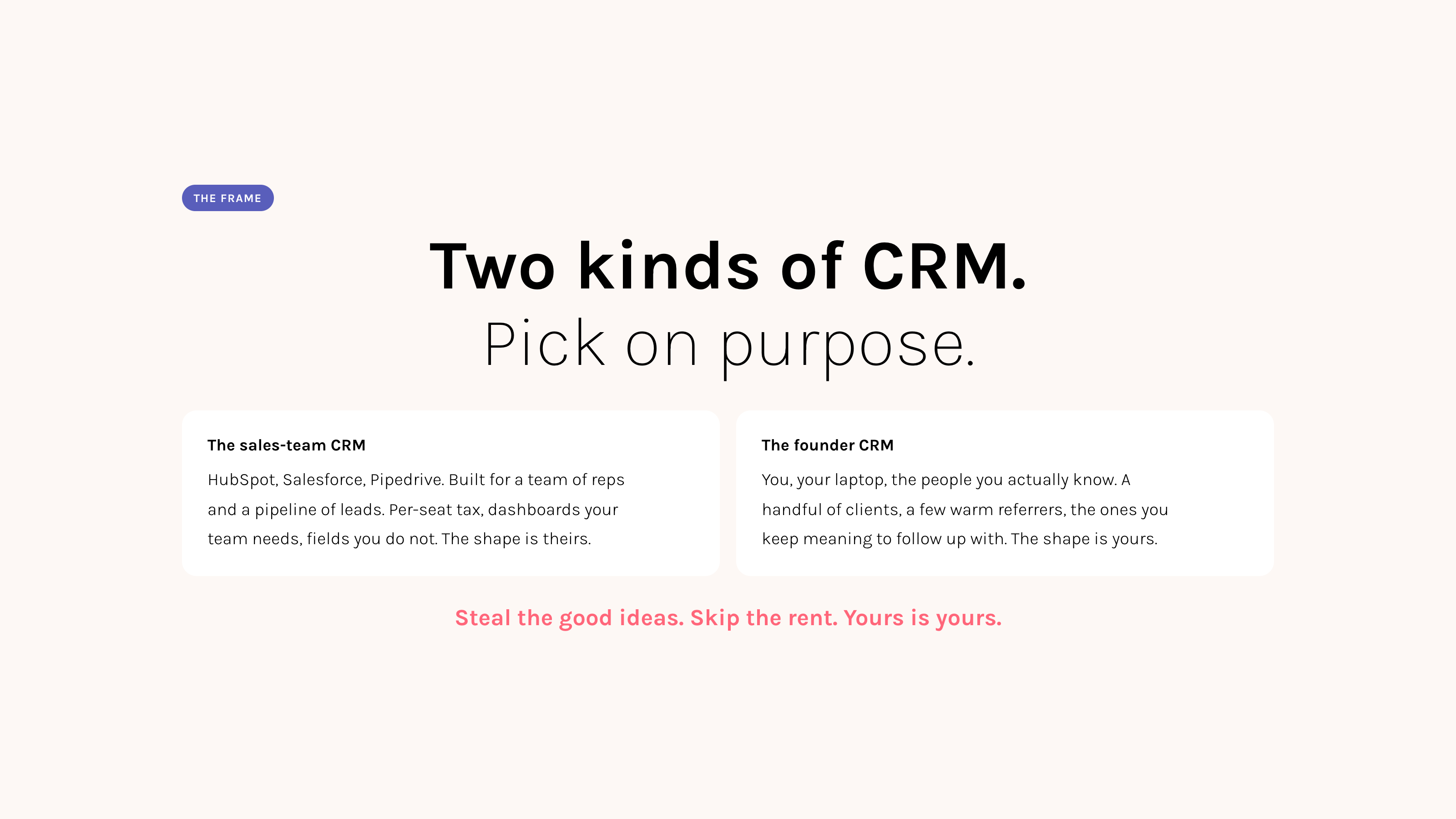
That is the whole job. And the shape of that job looks different for a founder than it does for a sales person on a quarterly target.
A sales team's CRM is a forecasting tool. It exists to predict pipeline, hold reps to a number, and roll deals up at the end of the quarter. The fields, the stages, the dashboards, all of it points at one question. How much will we close.
Your CRM is doing a different job. It holds the conversations you actually had. The promises you actually owe. The handful of people who actually matter to your business right now. The root system gives you the chance to stop and ask what a relationship system would look like if it fit YOUR brain. Not a sales person's.
You will keep some of what the big tools do well. You will throw out a lot of what they do because they have to, not because it serves you.
Same word. Different shape. Most tools were built for the left.
Before you build, look at what already exists
The CRM market is large, mature, and full of good ideas that took millions of dollars and ten years to figure out. You can take those ideas. You do not have to take the subscription, the per-seat pricing, or the data lock-in that comes with them.
Five tools worth looking at. Each one solved a real problem. Each one has one or two things worth stealing.
| HubSpot | Attio | Folk | Dubsado | Notion | |
|---|---|---|---|---|---|
| Built for | Sales teams. The default. | Modern startups, VC-backed. | Founders living on LinkedIn. | Service providers and coaches. | Whoever has the patience. |
| What you pay | Free tier capped. Sales Pro $90/seat/mo. Enterprise $150/seat/mo. Marketing Enterprise from $3,600/mo. | $34 to $69 per seat per month. | $20 to $80 per seat per month. | $20 or $40 per month, flat (not per seat). | Free if you already use it. Otherwise $10 to $20 per seat. |
| What the top tier sells | Workflow automation, sequences with pause-on-reply, predictive scoring, sandbox, custom objects. | Graph relationships, flexible attributes, SQL-style reporting, native API. | LinkedIn 1-click import, AI email drafts, two-way Gmail sync. | Client portals, contracts, invoices, project workflows. | A database you bend into a CRM with templates. |
| Worth stealing ✨ | Lifecycle stages with auto-promotion. Pause-on-reply. | Flexible attributes (any field, no migration). Relationship graph. | LinkedIn-first thinking. "Just a person with notes." | Project workflow per client. Client portals. | Database-with-views UX. |
| Can Claude connect to it? | Yes. Most mature API. A community integration exists. | Yes. Excellent native API. | Sort of. Zapier and growing API. | Clunky. Use standalone. | Yes. Notion has its own integration. |
"Can't I just connect HubSpot and skip the build?"
Yes. And sometimes that is the right answer.
Use a paid CRM that Claude can connect to when your team is already in it, when you have more than five thousand contacts and need deliverability infrastructure, when you sell to enterprise and need SOC 2 on the data layer, or when rebuilding is genuinely the wrong place to spend your week.
Build your own when you have fifty to five hundred real relationships, no sales team, and you want your CRM to speak to the rest of your root system without a Zapier between every step.
🌱 The steal list
By the end of this module, every one of these lives inside your root system. No subscription. No per-seat cap.
- Lifecycle stages with auto-promotion (HubSpot)
- Flexible JSONB attributes (Attio)
- LinkedIn-first input flow (Folk, via /crm-log)
- Project workflows for service work (Dubsado)
- Database-with-views UX, on real Postgres (Notion)
- Sequences with pause-on-reply (HubSpot)
- Time decay on relationship scores (yours, almost nobody ships this)
- Consent tiers shaped by GDPR (yours, badly handled elsewhere)
Tomorrow's lesson is the schema underneath.
Next Lesson✨ Your relationships, in one place
You already have a CRM. In Part 1 you built it as a handful of JSON files inside your dashboard. That was enough for the first season. Now it grows up. This lesson is where your contacts, your conversations, your promises, and your pipeline move from a folder of files into a real database that scales with you.
What actually changes
The shape of your CRM does not change. It still has contacts, activities, deals, tasks. What changes is what is underneath. JSON files cap out at a few hundred contacts and one device. A database holds tens of thousands, syncs across every place you work, and lets your dashboard, your emails, and your daily briefings all read from the same source of truth.
Why not just stay in JSON, or in Notion
JSON files are a beautiful starting point. They are also a single point of failure. Lose the laptop, lose the CRM. Your dashboard cannot search across them. Your email sequences cannot reach them. They do not know what happened yesterday in your inbox.
Notion can hold contacts, and many founders begin there. Past about three hundred relationships, Notion bends. Search slows, automations stop firing, integrations turn into Zapier cables tangling between trees. A real database under the same roof as your dashboard solves all of that at once.
Questions before you start
What happens to my Part 1 JSON contacts?
They become the seed data. The migration reads your existing JSON and brings the contacts, activities, and deals across with timestamps intact, leaving the JSON files in place as a backup until you say otherwise.
Do I need to know what tables and columns are?
No. The migrations ship pre-built and numbered in order; Guide 71 applies them with you and verifies each one landed. You tell Claude to run them, and you will never need to design a table to make this work.
What if I want to add a field a year from now?
You can. The contacts table has a flexible context field that holds anything you would write on a sticky note: how you met, kids' names, allergies, the conference you both attended. You add new context by telling Claude. No migrations, no schema review.
What does this cost me per month?
Nothing, on the Supabase free tier, until you outgrow it (around hundreds of thousands of contacts). HubSpot's equivalent paid tier with sequences and pipeline reporting starts at $90 per seat per month and rises with every seat.
What if I want to leave?
Your data exports as a standard SQL file in one command. Any other database host will import it. No proprietary format. No lock-in. The same is not true for any paid CRM in the comparison.
What you will do
A moment with this
The hardest thing to get right in any CRM is not the technology. It is the discipline of writing down what is real. One true note is worth a hundred imported rows. Start with one.
Go deeper
Ready to migrate? Tell Claude: "walk me through Guide 71". It opens guides/71-crm-setup.md in your system, runs an inventory of what you already have, and asks before changing anything.
✨ How relationships move forward
Contacts do not sit still. They appear, they get curious, they go quiet, they come back, they buy, they refer, they sometimes drift. A good CRM holds that motion gently and tells you what needs you today.
The lifecycle, in plain English
Every person in your CRM sits at one of these stages. They move forward as the relationship deepens. Two stages mean the relationship has paused.
Most people you meet stay at "new" or "engaged." That is normal. The CRM exists to surface the few who are moving.
Why your CRM moves people for you
In most CRMs, you drag cards across a kanban board. You become the bookkeeper. Your CRM does the opposite. When someone replies to an email, when you log a real conversation, when a call gets booked, the relationship moves forward on its own. The final step (calling someone a client) is the one you make on purpose. Everything before that, the system handles.
Why old activity should weigh less
Most CRMs treat a conversation from 2019 the same as one from last week. That is wrong. Relationships are perishable. Yours fade gracefully if you do not nurture them, so the people who feel close right now are the ones at the top of your daily list. The ones who have gone quiet for a year stop misleading you. Real connection comes back into focus.
Promises, the field no other CRM has
A note is a thought. A promise is something you owe someone with a date attached, and breaking it costs trust. Your CRM treats promises differently from notes. Each one has a due date. Each one shows up on your morning briefing the day it is due. Each one stays visible until you mark it done. This is the difference between "I keep meaning to follow up" and "I followed up."
Consent, because some people did not ask to hear from you
Three levels of contact, set per person. Sequence: this person opted in and can receive your automated emails. Personal only: real one-to-one conversations, nothing automated, ever (this is the default for anyone you imported from LinkedIn). Quiet: do not contact, honoured across every channel. The tiers are shaped by GDPR's consent rules. They give you the structure to honour consent; using them well, and staying compliant, is still your work. The Privacy & GDPR module in Get Set Up covers what the law actually asks of you.
Questions before you start
What if I disagree with where someone landed?
You can move them by hand any time. The auto-promotion is a default that gets it right most of the time so you do not have to. Your judgement always wins.
How much of this is automated, and how much is me?
The system handles tracking, scoring, surfacing, and reminding. You handle the conversations themselves. The CRM never sends a real message in your voice without your hand on it.
Will I have to log every conversation manually?
No. Paste a thread (LinkedIn, WhatsApp, email) into your normal chat with Claude. It logs the activity, finds the contact, updates the score. The "logging step" stops existing.
What you will do
A moment with this
A CRM full of people you have never really spoken to is a graveyard. Start small, with the relationships that already matter. Let the rest fill in as it happens.
Go deeper
Tell Claude: "walk me through Guide 71, the activity logging and pipeline sections". Or, for the drag-drop board on the Relationships tab: "walk me through Guide 19".
✨ Sequences in your voice, not Mailchimp's
Most automated emails sound the same. "Hi {first_name}, I hope this finds you well." Nobody believes it, because nobody wrote it. The tool wrote it. Your sequences will not sound that way, because the words are yours, the timing is yours, and the moments that trigger them are the moments that matter in your business.
What a sequence actually is
A handful of emails that get sent, in order, after something happens. Someone downloads your guide, they get the welcome sequence. Someone attends your live event, they get the post-event follow-up. Someone says yes to working together, they get the onboarding sequence. Each email goes out a few days after the last one. You write each email once. The system sends them for the next ten years.
Why not Mailchimp or ConvertKit
The big email tools sell template builders, segmentation dashboards, and analytics charts you will not look at. They charge by list size, so the bigger your audience the more you pay. Your sequences live in your root system instead, sending through Resend (which is the plumbing, not the product). You write in plain language. You pay almost nothing. Your sender reputation belongs to you.
Three sequences to start from
Welcome (guide download)
Four emails over two weeks (day 0, 3, 7, 14). Triggered when someone downloads your free guide. Introduces you, shares what you actually believe, builds trust before any pitch. This is the one that ships ready in guide 72; the others below follow the same pattern for you to build.
Post-event follow-up
Sent after a workshop, webinar, or live conversation. Recording link, recap of what mattered, soft invitation to keep talking.
Topic deep dive
For contacts who signalled real interest in one thing you do. Goes deeper on what they care about, not what you want to sell.
These are starting points. The words in them are placeholders. You will rewrite them in your voice as you go, and that is the work.
What stops a sequence sounding fake
Three small choices, all yours. Write one person. Picture the exact human you wrote the welcome for. Talk to her. Earn the next email. If an email exists only to keep the cadence going, delete it. Pause when they reply. The minute someone writes back, the rest of the sequence stops. You are in a conversation now, not a campaign.
Questions before you start
Will my emails actually land in the inbox?
Yes, when you send from a domain you own with the basic email-authentication records in place. Claude walks you through that part. Resend handles the rest.
What does this cost?
Resend is free up to 3,000 emails per month. For a solo business that is years of runway. Past that, paid tiers are a few dollars a month, not per contact.
What if I am already on Mailchimp or ConvertKit?
Keep them running for now. Start your next sequence in your root system. Move the rest over as you have time. Nothing breaks.
What about unsubscribes?
Every email includes a one-click unsubscribe link, and the request is honoured the moment it is clicked. The contact's consent moves to quiet automatically and no sequence reaches them again.
What you will do
A moment with this
The point of a sequence is not to send more email. It is to be present when the other person was already curious, in a way you could not be in real time. If the email does not deserve to be sent, do not send it.
Go deeper
Tell Claude: "walk me through Guide 72". It covers the sequence setup, the consent tracking, the templates, and the unsubscribe handling, with inventory-first checks so nothing in your system gets overwritten.
✨ Follow-ups that happen without you remembering
The promises you forget are the ones that erode trust. The check-ins you keep meaning to send are the ones that decide whether someone becomes a client or fades. Your root system holds the small things so the big things can have your attention.
Two emails before you open your laptop
Every morning, your system sends you two short emails before the day starts. They take a minute each to read and they tell you almost everything you need to know about where your business is right now.
Daily relationship briefing
Who is heating up. Who is cooling. Which promises are due today. Anyone you spoke to in the last 24 hours. The "who needs me today" question, answered before anyone asks.
Daily sales brief
New bookings, new payments, new signups. Open deals by stage. The money summary, sent at the same time. The "did anything good happen yesterday" question, answered.
You can change the send time. You can change what shows up. You can turn either one off if a day is going to be quiet anyway. The point is that someone (your system) is paying attention to the small movements you would otherwise miss.
Follow-ups that surface themselves
Patterns that ship and run on their own. Cooling check: a contact who used to be warm has gone quiet, the briefing surfaces them gently. Promise due: anything you said you would do, on its due date, top of the list. Re-engagement: an opportunity that has gone quiet for a long stretch gets flagged for a soft, consent-checked reach-out, so it stays your call rather than an automatic send.
Your own booking system, and ingest the rest
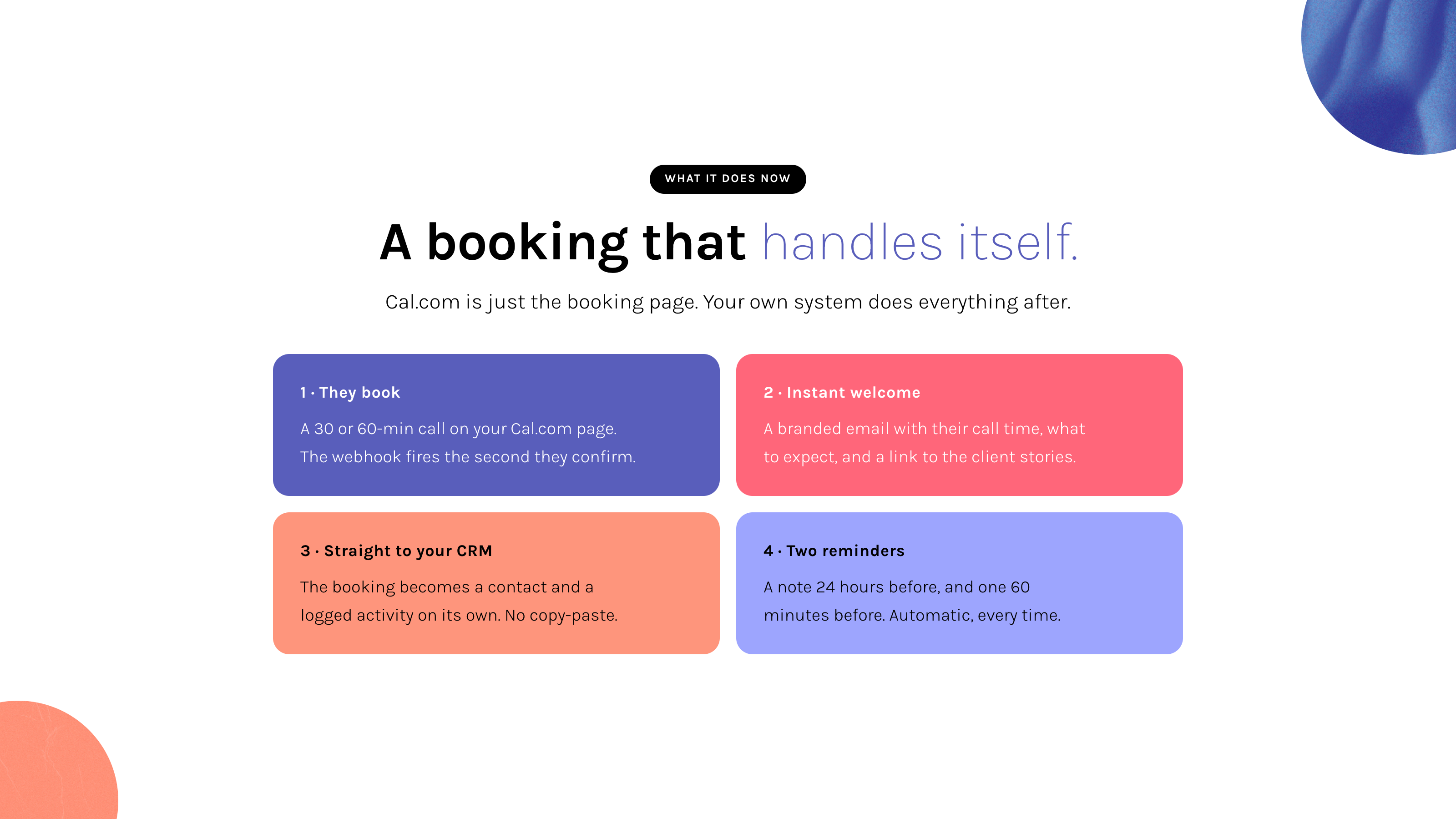
Your pack ships a booking system you own. Cal.com handles the calendar widget on a free plan, and your own Supabase and Resend do everything after the click: a branded welcome email the moment someone books, a CRM contact and activity created, a reminder before the call, and a next-steps note after it. Your client list stays yours, not something a booking silo rents back to you. The tools you already run, Stripe and Gmail, you do not rebuild; you let your CRM be the place their signals converge. Every booking, payment, reply, and form submission flows in. Nothing gets lost between apps.
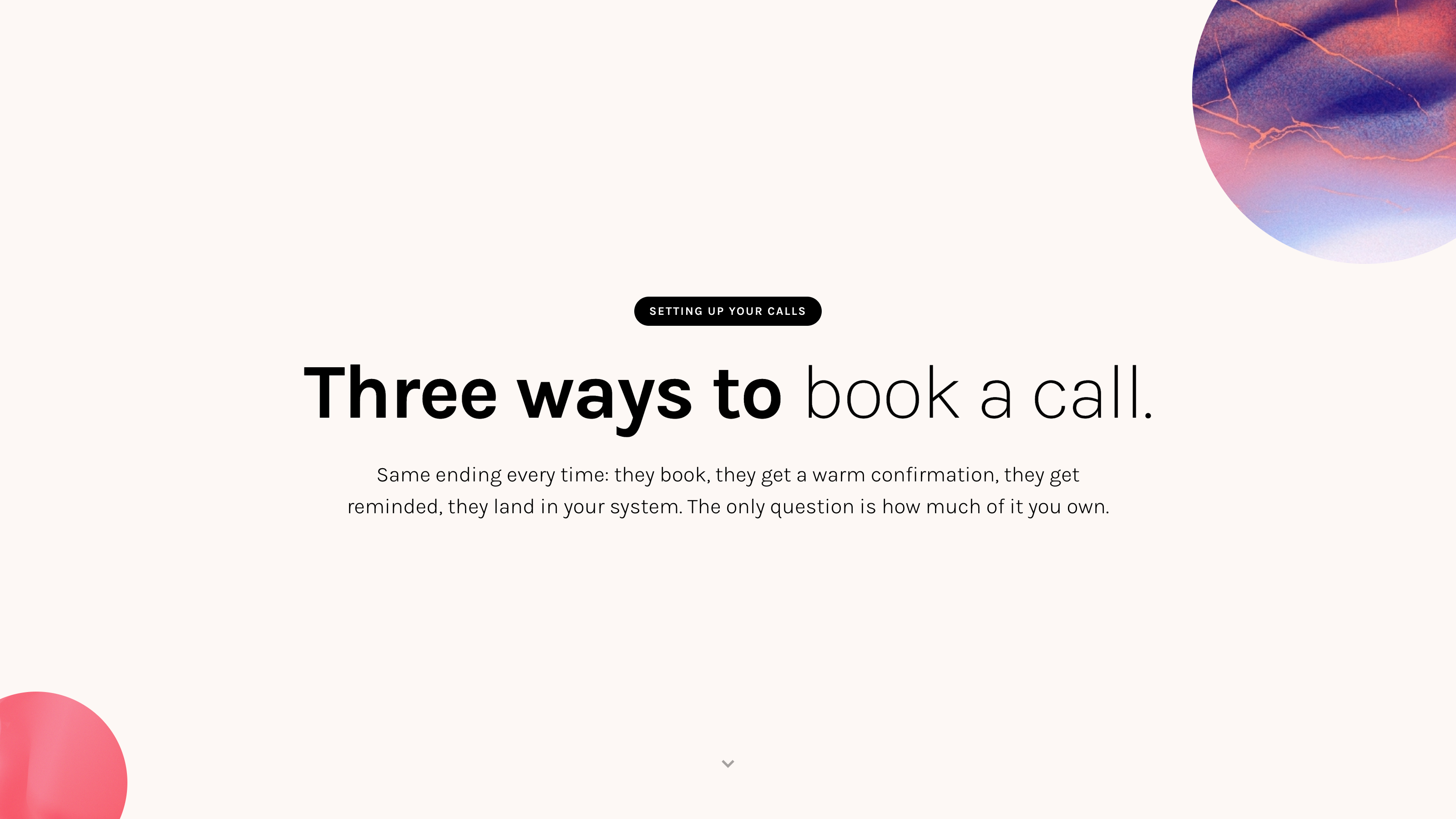
How your booking system works
Someone books a time on your Cal.com page. Cal.com fires a signed webhook to your cal-booking-webhook function, which sends the welcome email and writes the lead and CRM contact instantly. A 15-minute job, cal-booking-reminders, then sends the 24-hour and 60-minute reminders and the after-call follow-up, all from your own Resend, all carrying an unsubscribe token. The whole flow lives in the /booking-system skill and guide 74.
Ingest. Do not replace.
Questions before you start
What if I miss the morning email?
It is also visible inside your dashboard's Relationships tab any time. Nothing depends on you reading the email at 7am.
What if the system starts nagging me?
You tune the thresholds. Too many cooling contacts? Raise the days-quiet trigger. Too many promise reminders? Cluster them by week. Your call.
Do I get my own booking system?
Yes. Your pack ships a Cal.com booking system wired to your own Supabase and Resend, so every booking becomes a branded welcome email and a CRM contact you own. Already using Calendly and want to keep it? You can ingest its bookings through a webhook the same way. Same with Stripe.
What about Gmail?
Your morning protocol sweeps Gmail for new replies and inquiries. Anything from a known contact gets logged. Anything from a new sender becomes a new contact, marked personal only.
What you will do
A moment with this
"Automated follow-up" sounds cold. It does not have to be. The system is not sending the message for you. It is reminding you to send the one only you can send.
Go deeper
Tell Claude: "set up the daily relationship briefing" or "set up my Cal.com booking system". For the full integration guide, ask "walk me through Guide 71, the webhooks section".
🌱 Connect your CRM to the places real conversations happen
A CRM that only knows about itself is a fancy spreadsheet. Real relationships live across email, LinkedIn, WhatsApp, Slack, calendar invites, scheduling links, and a dozen other places. The point of this last lesson is to wire those places into your CRM so every meaningful touchpoint lands in one timeline, and so new contacts get enriched the moment they arrive.
The Interactions timeline (every touchpoint, one place)
Open any contact in your dashboard and you see a stream called Interactions. Email in, email out, LinkedIn DMs, WhatsApp threads, Slack messages, calendar events, calls, notes. Filter by channel with one click. Each row shows direction (← received, → sent), a snippet, a timestamp. This is what Folk charges $80 a seat to do. Yours does it from your own data.
Every channel feeds into the same underlying activity stream, so all of your scores, briefings, and follow-up surfaces work on the unified picture, not on one channel in isolation.
A nightly freshness scan that flags stale cards
Tracking relationships is not the same as hoarding data. Every night a freshness scan walks your active contacts and flags four kinds of staleness: open promises that look resolved, next-action notes that have aged out, briefing text that no longer reflects current activity, and dormant relationships where the contact has gone quiet but the card still points at a stale next step. The flags surface in tomorrow's morning briefing under "Cards needing cleanup." Nothing auto-deletes. You approve in bulk or skip.
For deep on-demand enrichment of a specific contact (full LinkedIn profile, recent posts, mutual connections before a call), the /lead-enrichment skill drives a Claude-in-Chrome session in your own logged-in browser. You trigger it when you need it, one profile at a time, never at scale.
Email triage that writes back
Your email-triage skill already shows you the four buckets every morning (Action, Aware, Later, Noise) with CRM context inline. The piece that closes the loop: when you reply to an Action email through the skill, the reply is logged back to the right contact as an outbound email interaction. You did not click a "log to CRM" button. You replied to an email. The CRM updated itself.
In your dashboard
Relationships tab
Rising contacts, cooling contacts, recent activity, open promises. The view you live in.
Sequences tab
Who is enrolled in what, where they are in the flow, who paused, who replied.
Network tab
The wider relationship graph. Who introduced whom. Where your referral value actually comes from.
In your inbox, every morning
Two short summary emails. The relationship briefing (who needs you today). The sales brief (what moved yesterday). Together, they are the difference between starting the day reactive and starting the day already oriented.
In your conversation with Claude
One small phrase, "/crm-log", that turns any pasted message into a logged activity, with the contact found or created, the score updated, the status moved if it should be. The "logging step" stops being a separate task.
Three sequences, ready to make yours
Welcome, post-event, topic deep dive. The structure works. The words are placeholders for yours. Rewrite them in plain English and they are ready.
Webhooks already wired
Cal.com bookings, Stripe payments, Resend opens and clicks, Gmail messages (in both directions). Each one lands in the right contact's history as an interaction without you doing anything. Add a new integration any time by asking Claude.
Adding a new integration is one conversation
Want LinkedIn DMs flowing in? Slack messages? WhatsApp threads? Tell Claude what you want connected and what behaviour you expect ("when someone DMs me on LinkedIn, log it as an inbound interaction and flag if they are a known contact"). Claude wires the webhook or the integration, writes the edge function, deploys it, and shows you the first interaction land. The pattern is the same every time.
All of it, yours to bend
The score thresholds. The send time of the briefing. The cooling-contact window. The wording of every sequence. The colour of every dashboard tab. A new tab for your own way of slicing things. A new follow-up pattern that fits how you actually work. None of it is locked. The starter is a starting line, not a finishing one.
Questions before you start
Do I need to connect every channel right away?
No. Start with email (which is already wired). Add LinkedIn or WhatsApp the week you actually feel the gap. Connecting a channel before you need it is just maintenance you have not earned yet.
Does the freshness scan touch any external platform?
No. It only reads your own CRM data and flags what looks stale. Deep enrichment (reading a LinkedIn profile in detail) happens through a Claude-in-Chrome session that you trigger when you need it, using your own logged-in browser. Nothing happens at scale, nothing violates a platform's terms.
What if I do not want every email logged?
Only emails to or from people already in your CRM get logged. The sweep does not pull random newsletters into a contact's timeline. If you want to exclude a person entirely, set their consent to quiet.
Can I add a channel that does not exist yet?
Yes. The Interactions stream is channel-agnostic. Pick a channel name (signal, telegram, whatever), tell Claude how to receive messages from it, and they land in the same timeline as everything else.
What you will do
A moment with this
Most paid CRMs would charge you twenty to one hundred and fifty dollars per seat per month for a piece of what you now have, with less of it under your control. The next time you see one of their ads, notice that you are not their customer anymore.
Go deeper
For all of the integrations (Interactions schema, nightly freshness scan, email triage wiring, adding a new channel): "walk me through Guide 73". For the drag-drop board on the Relationships tab: "walk me through Guide 19". For CRM setup: "walk me through Guide 71". For sequences: "walk me through Guide 72".
🌱 Your CRM in daily use, the cockpit you actually run from
Everything in the last five lessons exists for one moment: 7am the next morning, when you open your inbox and a single email tells you who needs you today and what to clean up. This lesson is the practical walk-through of that moment, plus everything the system does around it to keep your relationships current without you minding it.
The morning briefing, top to bottom
When the relationship briefing email lands, you see four blocks. Read it for two minutes, decide your day.
1. Today's meetings
Every booking happening today, in time order. For each: attendee name, duration, your last touchpoint with them (what channel, what was said), and any open promises you made them. You walk into every call already prepped, not searching your inbox at 9:55am for the last email thread.
2. People worth your attention
The handful of contacts where something happened in the last 48 hours. Rising scores, cooling silences, replies waiting. Not a list of everyone. A list of the people the system thinks you would forget if it did not surface them.
3. Cards needing cleanup
A short list of CRM cards with stale notes, promises that look resolved based on recent activity, or briefings older than two months on people you have actively spoken with since. The freshness scanner flags them overnight. You approve cleanup in bulk during your morning protocol, or leave them for later. Nothing auto-deletes.
4. Daily pulse
New contacts in the last 48h, active opportunities. One line. So you always know the shape of the week at a glance.
What runs around the briefing to keep it accurate
The briefing is honest because four things are quietly happening behind it.
- Email triage. When you run your morning sweep, every email in and out with a contact in your CRM lands as an interaction on their card. By the time you read the briefing, it already knows.
- LinkedIn sweep (daily, in your morning protocol). Your
/morningruns/linkedin-sweep, which walks the last 24 hours of your LinkedIn inbox in your own logged-in browser and logs unlogged DMs as interactions. LinkedIn signal stops going dark. - Freshness scan (nightly). At 04:00 the freshness function reviews active contacts and flags stale next-actions, promises that look resolved, and decayed briefings. Those become the "cards needing cleanup" section.
- Meeting transcripts (post-call). When you run
/transcripton a meeting recording, the notes land on each attendee's interaction timeline tagged asmeeting. The next morning's briefing uses them as prep context for your next call with that person.
Your day, in twenty minutes total
Once this is all running, your CRM time per day looks like this:
/morning. Includes LinkedIn sweep and cleanup approvals. Five to ten minutes./email-triage. Each reply logs to the right contact automatically./transcript on each recording. Notes attach to attendees. Promises extracted. Five minutes per meeting./evening catches anything you missed. The day closes clean.What your pack ships for this
Everything in this lesson runs on pieces already in your Module 7 pack. You do not build them; Claude installs and wires them, asking before each change. In plain terms:
- A nightly freshness scan that flags cards needing attention: a promise you kept but never marked done, a next-action gone stale, a warm contact gone quiet.
- A daily relationship briefing that adds today's meetings and the cards worth a look, always framed as a snapshot with your live picture one
/morningaway. - A LinkedIn sweep you run to walk your DMs and log the ones that matter.
- Your interactions timeline: every touch, with the channel and the direction, on the contact's card.
To install any of it, tell Claude: "walk me through guides/73-crm-integrations.md". It inventories what you already have, shows you what is new, and asks before it changes anything.
Questions before you start
What if I miss a morning?
The briefing still sent. The data still landed. Tomorrow you read two briefings instead of one, or you skip yesterday's and read today's. Nothing breaks. Missing a day doesn't compound.
What if the system flags something for cleanup that I want to keep?
Skip it. Cleanup flags surface for review, not for action. Anything you do not approve stays exactly as it was.
What if LinkedIn-sweep finds a DM from someone I do not want in my CRM?
Skip the "create contact" step. The sweep flags new senders but never creates anyone without your nod.
How long until this feels normal?
Three to five mornings. After the first week your relationship awareness has visibly shifted, because the system is doing the remembering you used to do in your head.
What you will do
/morning tomorrow. Walk through the LinkedIn sweep and the cleanup flags. Three days from now, this is the rhythm./transcript. Watch the notes attach to attendees. See how prep context appears in next week's briefing.A moment with this
The point of all of this is to do less CRM work, never more. The system carries the remembering so you can carry the relationship.
Go deeper
For the full inventory + install of this update bundle: "walk me through Guide 73". For everything else CRM: Guide 19 (Kanban), Guide 71 (CRM setup), Guide 72 (Sequences).