This module's pack
Module 9 pack: the chatbot build
The Librarian that fills your Library, the Brain edge function, the widget, the migrations, and eight guides that walk the whole build. Unzip it and open README.md first: it walks you through the one Terminal command (./scripts/preview.sh) that opens the starter page, so you meet the Face before any setup. The starter page needs that command to look right, so opening it straight from Finder renders it bare.
See what's inside (31 files)
Scripts (3)
build-kb-index.py, the Librarian that turns your pages into searchable passages · kb-search.py, a tool to test what your assistant retrieves · preview.sh, which serves the starter page locally
Brain (1)
site-chat/index.ts, the edge function that retrieves the right passages, refuses off-topic questions, and answers in your voice
Database (5)
Five migrations, run in order: chatbot_kb (the knowledge table and search) · assistant_messages (the analytics log) · kb_boost (content weighting) · assistant_tokens (token-cost tracking) · site_chat_rate (the daily rate limit that guards your card)
Face (2)
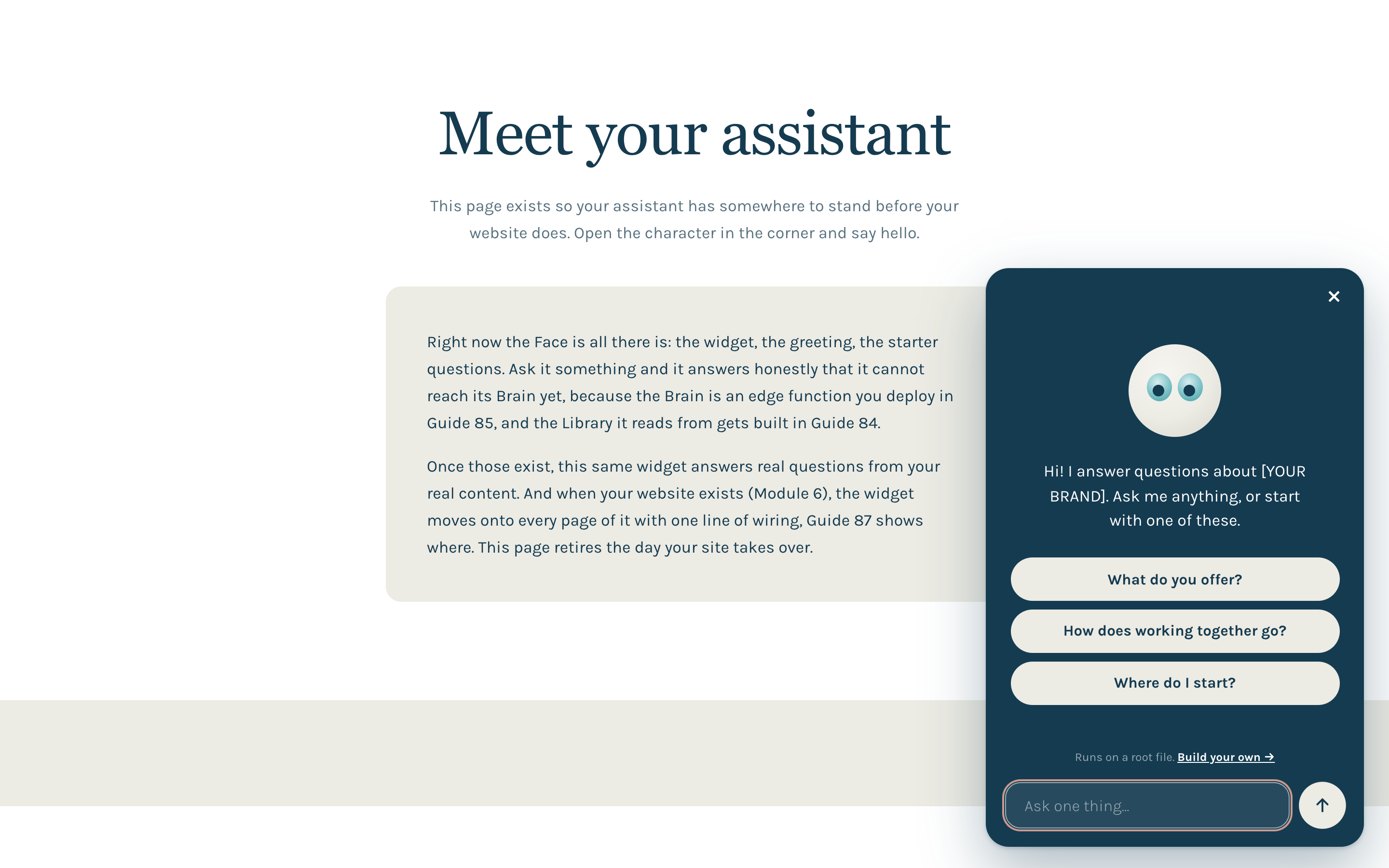
assistant.js, the widget your visitors see, shipped as a plain circle-with-eyes in the template palette, ready to become YOUR character · a starter page that hosts the widget out of the box, so you meet the Face before any setup
Guides (8)
Guides 83 to 90, one per lesson: the idea · the Library · the Brain · the Wall · the Face · make it yours · see what people ask · free and paid from one engine
Website basics (7)
The Module 6 brand and shared files, copied verbatim (tokens, typography, Karla, favicon, og image, styles, loader), so the starter page opens in the brand before your site exists
Docs (2 + config)
README.md, the install quickstart: order, secrets, what to swap · BLUEPRINT.md, the full build explained piece by piece, with the security model · config.toml, .env.example and .gitignore, so nothing 401s and no key lands in git
Before you start
You already have what this needs from Parts 1 and 2: a Supabase project, edge functions, and a deployed site with real content. You add two things: an API key for the answers (Anthropic) and one for the search (Gemini, which is cheap). Both live on the server side, never in the browser: on your edge function for the live assistant, and in a local .env file for the Librarian you run from your own machine. Set aside about two hours for the install, or three if this is your first time running a script from the Terminal.
Those keys mean a provider account with billing turned on, and you pay per answer. It is genuinely small: a few cents for a real answer, refusals and searches near zero, a few dollars a month at normal traffic. It is still your bill, so set it up with eyes open: before you enter card details, set a spending guard in the provider's billing console (Anthropic lets you set a hard monthly limit; Google lets you set a budget alert). The pack also ships its own daily rate limit (site_chat_rate) that guards your card from the app side; Lesson 7 shows the running cost to the cent and where to change the limit.
👇 After this module
You have a live assistant on your own site. It answers from your published pages, in your voice, refuses anything off topic, and offers a call when it cannot help. You own it, and you can see every question it gets and what each one cost.
What you'll do in this module
- The idea: one root feeds all, native vs rented, owned, scoped, in your voice
- The Library, turn your published pages into searchable knowledge
- The Brain, the function that finds the right passages and answers
- The Wall, why it cannot leak your data, and how you know that
- The Face, the on-brand widget your visitors actually see
- Make it yours, the three levers: voice, scope, and weighting
- See what people ask, analytics and the real cost, in cents
- Free and paid from one engine, the teaser model for members (go further)
What you'll leave with
- A live, on-brand assistant on your own site
- Answers grounded only in your content, each one linking to the real page
- A warm refuse-and-book-a-call for anything off topic
- Full ownership: your database, your code, no per-message rent
- A log of every question asked, and a known cost per answer in cents
- The path to a free and a paid version from the same engine
Why this matters
Across Parts 1 and 2 you built a system that runs your business. This module turns that same system outward. The assistant is not a tool you bolt on. It is another output of the root you already have. Someone lands on your site, asks a real question, and it answers the way you would, only from what you have actually published.
Start here
Lesson 1: One root feeds all →