In this module, your root system learns who you are. Your values, your work, your voice. Then it builds something real.
Module 1 starter
Module 1 starter: your foundation
Download your Part 1 system, unzip it, open the folder in Claude Code, and say "I'm ready to start". Onboarding writes your root file from your real answers. New here? Install Claude Code first in Step 0. Plan about an hour: a 15-minute scan plus a 30-45 minute onboarding conversation.
From the live session: installing an add-on, start to finish
A live install of the Dream Diary template: drag the zip into Claude Code, it reads the setup guide, places the folders, and adds one pointer line to your root file. Nothing in your system gets overwritten. The same flow works for every template.
See what's inside (123 files)
This download is your complete Part 1 foundation, 123 files in all. Everything below lives inside it. This week you use the three starter skills and the guides; the rest sits ready and unlocks module by module.
This week's skills (3)
/onboarding, the guided conversation that writes your foundation files from your real answers · /root-check, pressure-test any real decision against your own root file: four advisors, one per language, and a synthesis · /about-page-builder, turn what your system knows about you into a real branded About page in your voice
Guides (8)
Getting started · Terminal basics · Install Homebrew · Optional expansions · Install Claude Code · Your first conversation · Importing your knowledge · Your root file
Your step-by-step companions. Ask Claude to walk you through any of them by name: "walk me through guide 06".
Your map
MODULE-INDEX.md holds the whole 4-week journey. Open Claude in your folder and say "I'm ready to start", it reads the map and puts you at the right step.
Also inside, waiting for their week
Your root file (CLAUDE.md), the full four-language folder structure, all 28 skills (memory, CRM, content, dashboard, protocols), a bonus Tarot Reimagined pack ✨ (the four languages as a daily card practice, completely optional), and a standalone time tracker. Each one gets its moment in the module it belongs to.
📁
Unzipped it and something looks missing?
Your skills install into a folder named .claude. It starts with a dot, so your Mac or PC hides it by default. Nothing is missing. To show hidden files on Mac, press Command + Shift + . (period) in Finder. On Windows, open View → Show → Hidden items in File Explorer.
👇 After this module
Your root file is written, your root system knows your life and your work, and you have built your first page.
What you'll do in this module
Your Root Scan, open the project in Claude, run the onboarding scan, answer the questions about your life and work
Knowledge Import, drop in your existing materials (notes, docs, transcripts) so the system has context to work from
Your About Page, your system writes your first real page from your root file, in your own words, and opens it in your browser
What you'll leave with
Claude Code installed and running on your machine
Your root file (CLAUDE.md) written, with your goals and current state
Fact files populated: identity, goals, current state, rhythms
Your first knowledge imported and indexed
Your About page in your own voice, generated from your root system (it becomes your dashboard's first tab in Module 4, and goes on the web in Part 2)
Why this matters
Before your system can help you, it has to know who you are. Not your business plan. You. After this module, your system is already different from everyone else's because it grew from your answers, your life, your words. That is by design. The foundation everything else grows from is you.
An additional layer on top of the onboarding conversation, for going deeper. Light, but part of the four lessons: mark it complete either way.
Before your system can help you, it needs to know who you are. Not your business plan. Not your target audience. You. What you believe, how you work, who you serve, what you already have.
Where the Four Languages came from, and why all four are built in by default
The Root System Scan is a guided conversation that takes about 15 minutes. It walks you through all four languages and produces two things:
📄 Your root file (CLAUDE.md)
The first version of your root file. Same file, two names: Claude looks for it as CLAUDE.md, we call it the root file. Who you are, who you serve, how you work, what you have, and the rules your system should follow. Written as instructions, not descriptions.
📝 Your about page draft
The foundation for your public-facing story. What you believe, what you do, who you work with, how you got here. In your voice, using your words.
💡
Why this matters
Your root file becomes the first thing your AI system reads every single session. When Claude writes your content, builds your pages, or helps you make decisions, it starts here. The deeper you go in this scan, the better everything after it works.
How it works
The scan is a conversation. It asks you about what's not working, then walks through each language (mind, heart, body, soul), surfaces your pattern, and assembles the raw material into your root file and about page. You can type or use voice.
At the end, you download your root file as a markdown file. You will use this in the next lesson when you set up your system.
If you already have Claude Code set up, you can run the same scan as a conversation in your terminal. Open Claude Code in your project folder, paste the prompt from the Root System Scan README, and work through it there. Same questions, same output, different interface.
You already have your root file draft from the scan. Now we go deeper.
The scan gave you the shape of who you are across all four languages. The onboarding conversation takes that shape and fills it in with real detail: your actual methodology, your specific offerings, your brand colors, your work rhythms, the tools you use, who you want to reach, and what you are building toward. This is where your root system goes from "knows who you are" to "knows how to work for you."
Before you start
📩
Need the starter system?
Download your complete Part 1 system as a zip from Step 0, or grab it directly here. Unzip it and open the folder in Claude Code. Nothing to request, nothing to wait for.
🔧
Need to install Claude Code?
If you have not set up Claude Code yet, follow the Step 0: Get Set Up guide first. It walks you through everything you need. You can also check Anthropic's official Claude Code Quickstart for additional guidance.
How it works
You can run the onboarding from either the terminal or the Claude desktop app. Both work the same way.
Option 1: Terminal
First, navigate into your project folder (the folder where your root system lives):
cd ~/sarah-coaching
Replace sarah-coaching with your folder's real place and name. Fresh from the download it is cd ~/Downloads/four-languages-part-1. If Terminal says "no such file or directory", type cd (with a space), drag the folder from Finder into the Terminal window, and press Enter.
Then start Claude Code:
claude
Option 2: Claude app
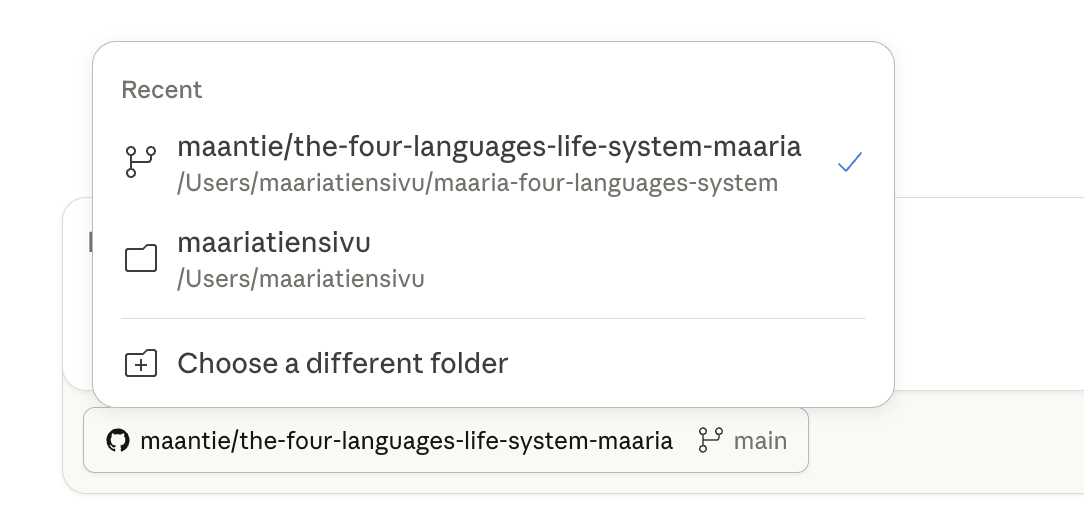
Open the Claude desktop app, click the Code tab at the top, and select your project folder from the list (or choose a different folder).
Once you are in, type /onboarding and press enter.
If /onboarding does not work
Some setups do not support slash commands. If that happens, just type: "Run the onboarding skill from .claude/commands/onboarding.md" and Claude will find it and walk you through the same conversation.
If you completed the Root System Scan, paste your downloaded root file when prompted. Claude will use it as a starting point so you do not repeat yourself. If you skipped the scan, that is fine too. Claude will ask everything from scratch.
The onboarding walks through five sections. Each one goes deeper than the scan did:
Soul
Your values, purpose, reflective practice, what your ideal day actually looks like
Mind
Your methodology, specific offerings, ideal client in detail, 12-month vision
Heart
Your voice, how you actually talk, where your people find you, how you build trust
Body
Your work rhythms, tech stack, brand elements (colors, fonts), what you want tracked
Plus: The Big Picture
At the end, Claude asks why you are here and what would make this worth it. This becomes the filter for everything your system suggests and builds.
This is a real conversation, 30 to 45 minutes depending on how deep you go. Claude asks, listens, mirrors back what it heard, and then writes your system files in real time. The deeper you go, the better everything works from here.
What it creates
As you answer each section, Claude writes files into your project. By the end, you will see a receipt showing everything it created:
CLAUDE.md - Your root file (final version)
context/memory/fact/identity.yaml - Values, purpose, philosophy
context/memory/fact/business.yaml - Methodology, offerings, ideal client
context/memory/fact/preferences.yaml - Voice, communication style
context/memory/fact/brand.yaml - Colors, fonts, visual identity
context/memory/fact/goals.yaml - 12-month vision, quarterly goal
context/memory/fact/current-state.yaml - Rhythms, tracking, accountability
context/memory/fact/tech-stack.yaml - Tools and platforms
heart/content-hub/voice-guide.md - How you sound in writing
heart/crm/seed-contacts.md - Existing client/contact info for Part 2
heart/crm/migration-notes.md - Migration plan for CRM setup
The scan gave you a first draft of your root file. The onboarding builds out your eleven foundation files from what you shared. Together, they mean your root system knows your values, your methodology, your voice, your rhythms, your tools, your goals, and who matters to you. That is the foundation everything else builds on.
What happens after onboarding
Once your onboarding is complete, your root system gets better every day. Here is what that looks like:
💡
Daily check-ins
Every time you open Claude Code and say good morning, your root system checks in with you. How are you feeling? What are you working on? What is your energy like? These check-ins get logged. Over time, they reveal your patterns.
💡
Reflective practice
If you have a reflective practice (journaling, meditation, pulling a card, prayer, nature time), your root system can support it. Tell it what you do. It will prompt you, log your reflections, and track consistency. Your reflections are saved as files on your machine. Remember: anything you type in a conversation with Claude is processed through Anthropic's API, and so is any file Claude reads. Keep what should stay fully private in files outside the folder you start Claude in (the Privacy & GDPR module in Get Set Up explains the reach rule).
💡
Voice refinement
The more you interact with your root system, the more it sounds like you. When it writes something that feels off, tell it. "Too formal." "I would never say that." "More like how I would text a friend." It learns. In Module 2, you will understand exactly how.
Make sure it actually saved
The conversation feels good, but the only thing that matters is whether the files actually landed on your machine. Before you mark this lesson complete, do this verification.
1. Ask Claude to show you what got saved
When the conversation ends, just say:
Show me everything you saved about me. Where did each thing go?
2. Ask Claude what is still missing
Then ask:
What did you NOT save yet, and what still needs my answers?
If anything is empty or vague, tell Claude what to fix: "I want to add more about my work. Let's go back to that part."
3. Check it sounds like you
Then ask Claude:
Read my root file out loud to me. Does it sound like me or does it sound like AI?
If it sounds generic, say: "Rewrite it in my actual voice using my own words from this conversation. Less polish, more me."
If something goes wrong
Claude is rushing through the questions
Tell it: "Slow down. Ask me one question at a time and wait for my answer before moving on. I want to go deep on this."
Claude is asking questions but not saving anything
Stop and say: "Make sure you are actually saving my answers to the right folders as we go. After every section, save what we just talked about and tell me where it went."
The conversation stopped halfway through
Start Claude again in the same folder and say: "I started the onboarding earlier and we got partway. Look at what I already told you, tell me what is still missing, and let's pick up from there."
You want to redo a section
Just say: "Let's redo the [Soul / Mind / Heart / Body] section. I want to go deeper." Claude will re-ask and update what is saved.
Still stuck?
Screenshot where you got stuck and paste it straight into Claude Code. It reads the error and walks you out, this is the fastest fix nine times out of ten. Still stuck? Email hello@thefourlanguages.com with what you tried and the screenshot.
Now put your new root file to work: /root-check
Your download includes a second skill for this week, and it is the fastest way to feel what you just built. /root-check takes any real decision you are sitting with (an offer, a price, a yes or no) and pressure-tests it against your own root file: four advisors speak, one for each language, then Claude gives you a synthesis grounded in YOUR values, YOUR goals, YOUR current state.
💡
Try it today
Type /root-check and bring something real: "Should I raise my package price?" "Do I say yes to this collaboration?" The answer comes from what you taught it an hour ago. This is the moment most people first feel the difference between an AI tool and a system that knows them.
Your root system now knows who you are. But you have years of work that Claude has never seen: your methodology documents, workshop materials, client frameworks, contact lists, brand guides, content archives, strategy docs. All of that knowledge is sitting in Google Docs, Notion, slide decks, CSVs, and folders on your computer. Until Claude can read it, it is invisible.
This lesson is about bringing that knowledge in, in a format your root system can actually use.
Why format matters
Claude reads markdown (.md) and YAML (.yaml) files best. A messy Google Doc export with broken formatting, duplicated headers, and outdated sections makes Claude work harder and produce worse results. When you ask Claude to process your raw files, it strips the noise, organizes the content with clear headings, removes what is outdated, and creates a version optimized for how it reads.
Only accurate data produces accurate results. This is the perfect time to decide what is current and what is not. If you import an old pricing page, Claude will use those numbers. If you import a framework you no longer teach, Claude will reference it. Be selective. Bring in what is true NOW.
Which language does this go under?
Everything in your root system lives under one of the four languages. When you import something, you need to know where it belongs. Ask yourself: what is this material FOR?
Soul
Mission statements, personal values, journal entries, your "why" document, reflective practice notes
Mind
Your methodology, workshop materials, training decks, SOPs, pricing, strategy docs, proposals
Heart
Contact lists, testimonials, email templates, voice guide, community notes, client intake forms
Body
Published content, brand guidelines, website copy, analytics data, design files
If something crosses languages, put it where its PRIMARY purpose lives. Your framework might touch Soul (why) and Mind (how), but if you mainly use it to structure your client work, it is Mind.
How to import
You do not need to reformat everything yourself. Claude does it for you.
1
Export your file to a format Claude can read: plain text (.txt), CSV (.csv), or just copy-paste the content. Google Docs: File > Download > Plain Text. Notion: Export as Markdown. PDFs: copy the text.
2
Drop it in your project folder (anywhere is fine temporarily).
3
Tell Claude what it is and ask it to process it. For example: "I dropped workshop-deck.txt in my folder. This is my coaching framework. Can you read it, clean it up, and save it as markdown in the right place?"
4
Ask Claude to update your root file. "Can you add a reference to this in my root file so you always know where it is?" (Your root file is the file called CLAUDE.md. Same file, two names.) This is the step most people skip. Without it, Claude might not find your imported knowledge next session.
you: I dropped coaching-framework.txt in my folder.
This is my signature methodology. Can you read it,
turn it into clean markdown, and save it to mind/?
root system: I read the file. Here is what I found...
I will save it to mind/frameworks/coaching-method.md.
Should I also add a reference in your root file?
What to prioritize
Start with 3 to 5 files. You can always add more.
🎥
From the live session: can you feed it a book you own?
Asked live: can you upload a whole book? If you bought it and you use it for yourself, yes. Selling someone else's framework is a different story. And whatever you give the system as a file, it follows far better than recalling from its training.
The piece referenced in this clip: The New Rules for AI Training walks through what the courts have settled: training on works you lawfully own is fair use, pirated material is not, and selling someone else's framework as your own is where it crosses the line.
Your methodology or framework (the thing you teach or sell)
Your brand/voice guide (if you have one)
Your contact list (LinkedIn export, CRM data, spreadsheet)
Your best content (10 LinkedIn posts, newsletter editions, blog posts)
Anything that only exists in your head (get it out now)
💡
The most important knowledge is what is only in your head. Files can wait. The frameworks, beliefs, methods, and stories that only exist in your brain are invisible to Claude until you get them out. Type them, speak them, whatever works. "Here is how my coaching process works..." and Claude will organize and save it for you.
The full guide with bulk import instructions (CRM data, content archives, large exports) is in your starter system at guides/06-knowledge-import.md. Ask Claude: "Help me with guide 06" and it will walk you through it.
Your root system knows you now. Time to see what it can do with that knowledge.
The scan gave you an about page draft. The onboarding deepened everything. Now you turn all of that into a visual page so you can see what your system actually knows about you. Think of it as a mirror: your root system reflecting back who you are, in a format you can look at and refine.
How it works
In Claude Code, type /about-page-builder and press enter (or say "Run the about page builder skill from .claude/commands/about-page-builder.md" if slash commands do not work). Claude reads everything it knows about you (your root file, your identity, your business, your voice, your brand) and builds a complete web page. No templates. No fill-in-the-blanks. A real page written in your voice, using your colors and your words.
Before it builds, it will show you what it knows and ask for anything missing: your photo, your logo, specific colors or fonts you want, any design inspiration you have in mind. Then it builds.
What you get
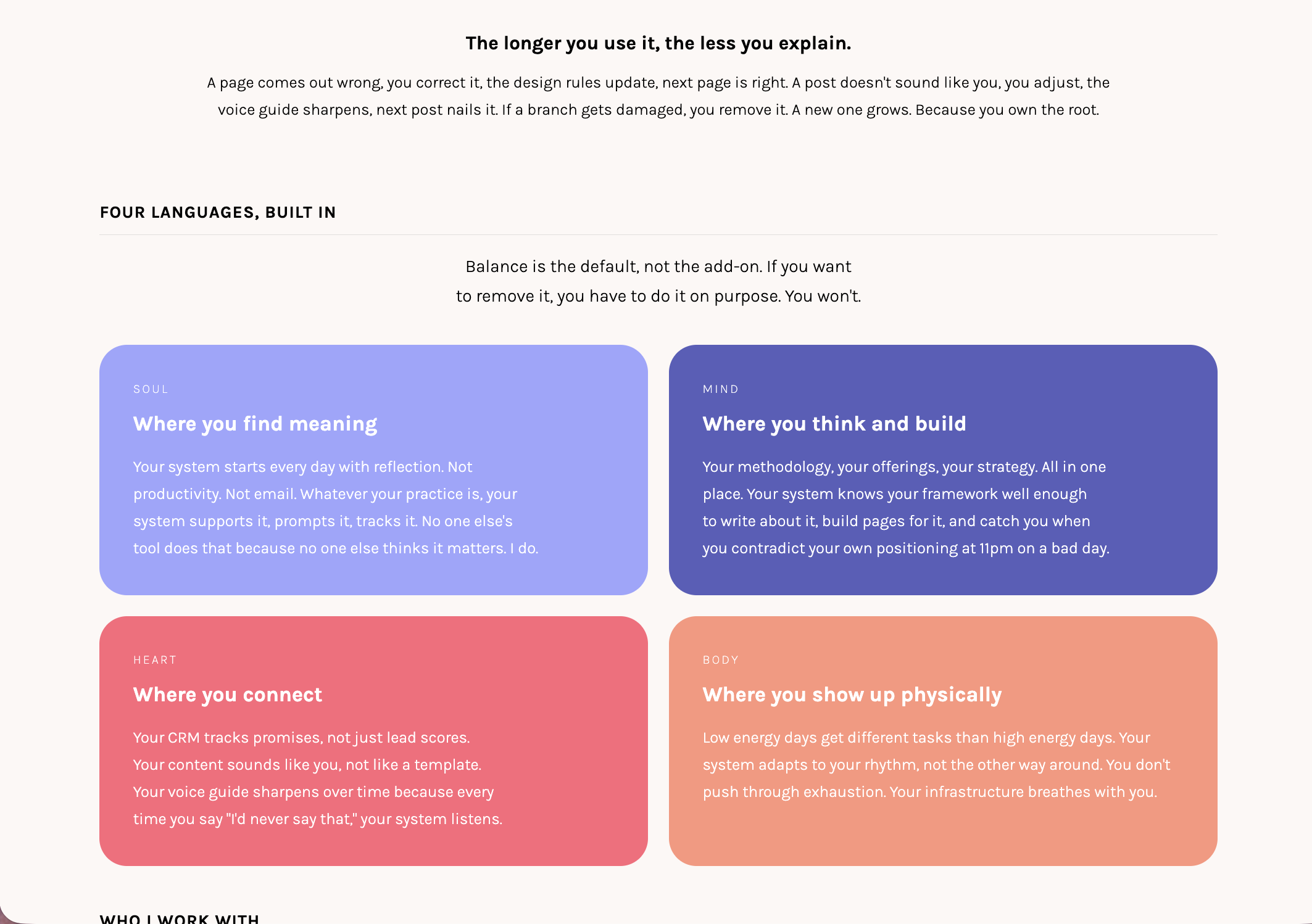
Your About page: a complete, branded page built from your own files and words. This week it lives as its own page inside your system; in Module 4 it becomes the first tab of your dashboard. It includes:
1A hero section with your name, what you do, and your philosophy
2Your story written in your voice, from what you shared in the scan and onboarding
3Your methodology broken into clear steps or pillars
4Who you work with and the transformation you deliver
5Your values and what you believe
6A way to connect with your contact details and social links
The page uses your brand colors, your font choices, and a clean responsive layout. It is a complete page you can keep refining, and the same content goes onto the web when you build your website in Part 2.
Why this matters
The about page is not really about publishing something to the world. It is a mirror. When your root system builds this page, you get to see what it actually knows about you, laid out visually. Your story, your methodology, your values, your voice. All of it reflected back to you in one place.
This is how you test whether your root system truly understands you. Read the page. If something feels off, that is a signal. "This part does not sound like me." "That is not how I would describe what I do." "This section misses the point." Every correction sharpens your system's understanding of who you are.
When it is built, ask Claude: "open my about page" (or double-click the file it names, usually heart/about/index.html). Read it. Refine it until it feels right. And when it does, you also happen to have a page ready for the world the moment your website goes live in Part 2.
💡
The real test
Read through it yourself. Does this sound like you? If something feels off, tell your root system. "That is not how I would say it." "My methodology has three steps, not four." Every correction makes your system more accurate. This page is a living document, not a finished product.
Where it goes next
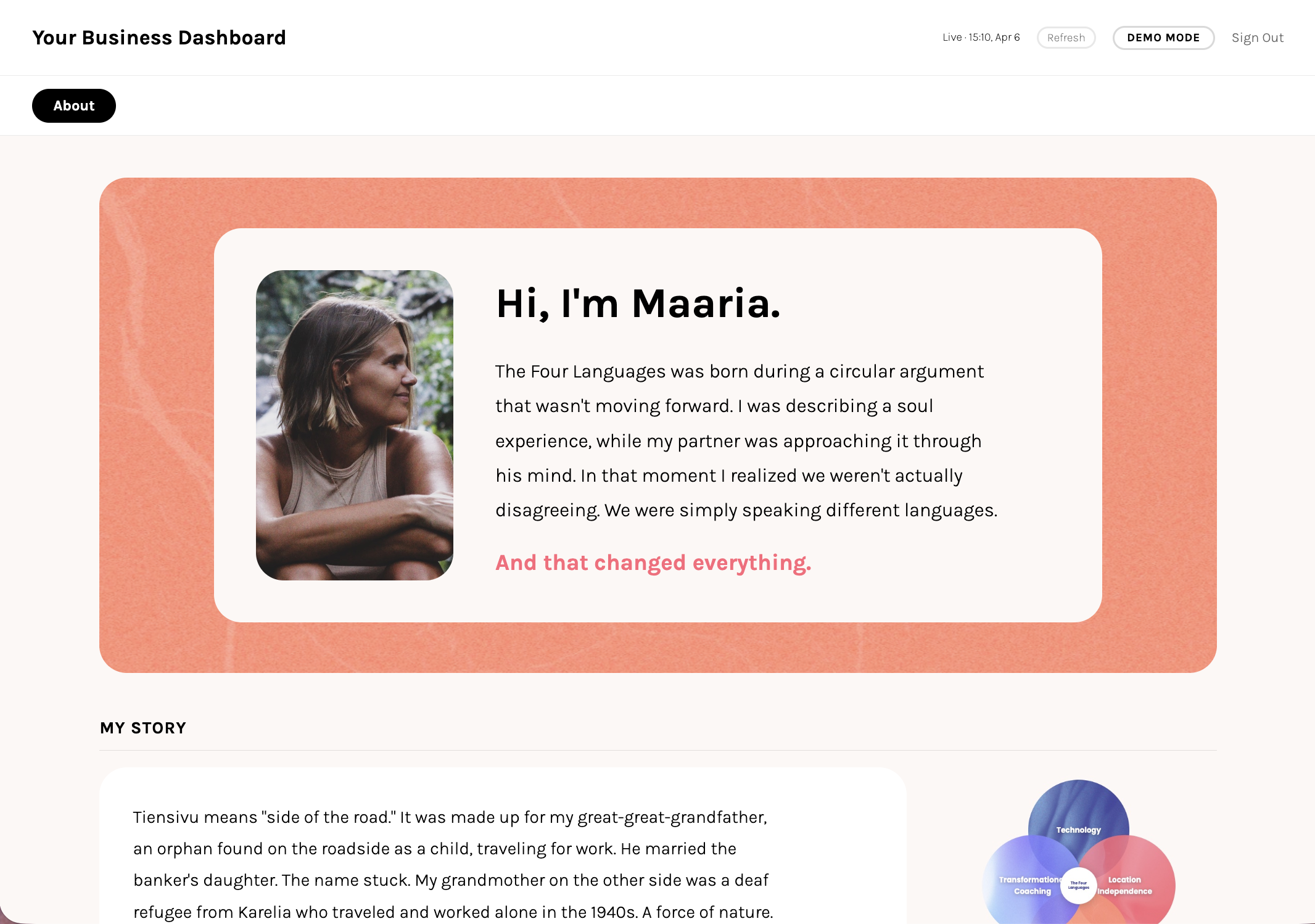
In Module 4 you build your dashboard, and this page becomes its first tab: your story, visible right inside your system every day. Here is what that looks like when you get there:
💡
Coming in Module 4
This is the About tab inside the dashboard you will build in Module 4. The same words you write this week land there automatically, nothing gets redone.